G

October Templates Challenge 2 with Dani

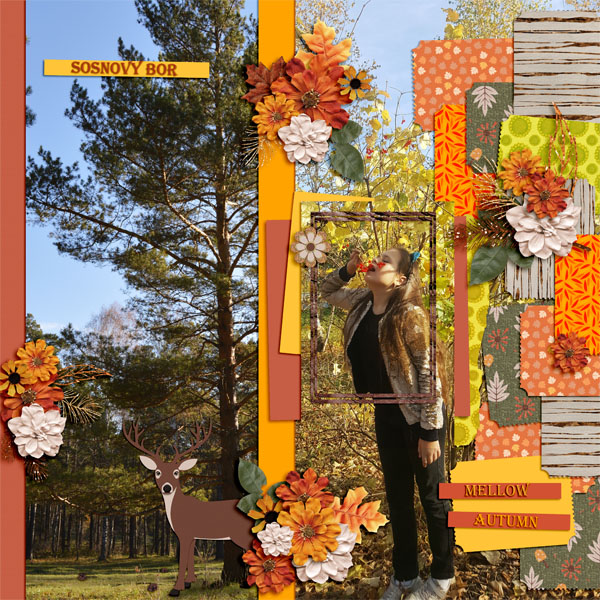
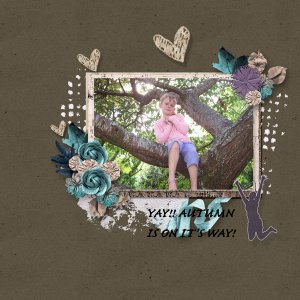
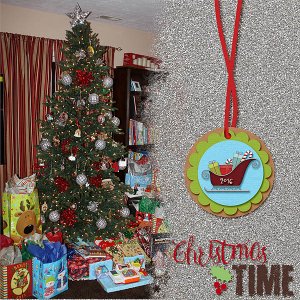
What a fantastic use of the challenge template, such a clever way to display the second photo.. the framing is perfect. I love the paper choices down the side.
 
So fun to zoom in and try to figure out the layering you've done! Really clever way to combine photo and template.
 

<div class="tlid-input input has-transliteration" style="display: flex; position: relative; width: 640px; color: #777777; font-family: Roboto, arial, sans-serif; font-size: 16px;">
<div class="source-wrap" style="position: relative; min-height: 114px; flex-grow: 1; vertical-align: top; z-index: 1; padding-bottom: 56px; border-radius: 0px 0px 0px 8px;">
<div class="input-full-height-wrapper tlid-input-full-height-wrapper" style="height: 118px;">
<div class="source-input" style="padding: 20px 0px 0px; position: static; z-index: 0; box-sizing: border-box;">
<div class="tlid-source-transliteration-container source-transliteration-container transliteration-container" style="direction: ltr; font-size: 15px; margin-top: 0px; padding: 0px 16px 0px 28px;">
<div class="tlid-transliteration-content transliteration-content full" style="line-height: 22px; max-height: none; padding: 0px; overflow: auto; font-family: inherit; white-space: pre-wrap;">Bol'shoye spasibo !</div>
</div>
<div class="source-footer-wrap source-or-target-footer" style="height: 44px; width: calc(100% - 22px); position: absolute; bottom: 8px; left: 14px;">
<div id="gt-input-tool" class="source-input-tools" style="display: inline-block; float: right; margin-right: 10px; margin-top: 10px;"> </div>
<div class="character-count tlid-character-count" style="display: inline-block; float: right; font-size: 12px; margin-right: 20px; margin-top: 12px;">
<div class="cc-ctr normal">17/5000</div>
</div>
<div class="source-footer"> </div>
</div>
</div>
</div>
</div>
</div>
<div class="tlid-results-container results-container" style="background-color: #f5f5f5; box-shadow: none; display: flex; flex-direction: column; min-height: 128px; position: relative; width: 640px; border-radius: 0px 0px 8px; color: #777777; font-family: Roboto, arial, sans-serif; font-size: 16px;">
<div class="tlid-result result-dict-wrapper" style="position: relative; flex-grow: 1;">
<div class="result tlid-copy-target" style="position: static; min-height: 128px; padding: 20px 16px 56px 28px; box-sizing: border-box;">
<div class="result-header"> </div>
<div class="text-wrap tlid-copy-target" style="margin-bottom: 0px; min-height: 56px;">
<div class="result-shield-container tlid-copy-target" style="padding-right: 44px; direction: ltr;"><span class="tlid-translation translation" style="min-height: 20px; line-height: 32px; font-size: 24px; color: rgba(0, 0, 0, 0.87); white-space: pre-wrap; padding-right: 8px;" lang="en"><span title="">Thank you very much !</span></span></div>
</div>
</div>
</div>
</div>
 
You blew my mind by adding a photo to the right side. I love how you framed her from the photo, it drives the eye directly to her. I love everything in this.
 

Media information

Category
Template Challenge
Added by
galaviktor
Date added
View count
610
Comment count
5
Rating
0.00 star(s) 0 ratings

Share this media

Back
Top