• 🆘 Need Help? We’re Here for You!

    Have a question or need assistance? You’re in the right place! Whether you're new to GingerScraps or just need a little guidance, feel free to ask here. Our amazing admins and helpful community members are always happy to lend a hand. 💖

    Be sure to check out these helpful areas too:

    🔧 If you’re having trouble with an order or product download, please visit our Support Desk - we’re happy to help!

PSE HELP: Background Showing Up Larger Than The Original

Sillz

New member
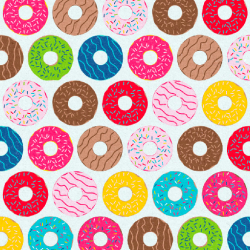
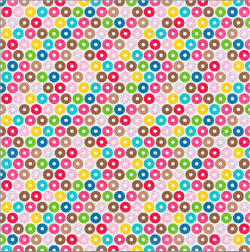
I'm trying to add a background like I always do but when I place it on my image it shows up more zoomed in than the original. I've checked that it really isn't just zoomed in, and I can't seem to find the problem. Help? Attached is the original image and I will post the way it is showing up in my next comment below.
 

Attachments

  • Screen Shot 2018-06-03 at 3.53.22 PM.png
    Screen Shot 2018-06-03 at 3.53.22 PM.png
    750.3 KB · Views: 21
Here's how it is showing up on my 12x12 image.
 

Attachments

  • Screen Shot 2018-06-03 at 3.53.37 PM.png
    Screen Shot 2018-06-03 at 3.53.37 PM.png
    601.5 KB · Views: 21
Thanks for the link! I tried it but it didn't seem to work. I think I've found a work around for it though...instead of having a new transparent background and putting the paper onto it, I started with the background file as the new file and built on it. That way it stays at the right size. :)
 
I use PSE version 6

If you want to see your papers, elements, and layout full size, try going to the Menu at top,
View
Fit on Screen or Actual Pixels

Good luck
 
Back
Top