New ideas and techniques for scrapping?

FormbyGirl

Sugar Cookie : GingerScraps Praise
Susan (Pachimac) had a great thread earlier on what inspires you. I realized I love learning new techniques. With that in mind, are there any layouts that demonstrate a fun and interesting scrapping design you have done (or seen) that can be adapted. I have copied my post from Susan's thread to here. I would LOVE if someone can link to a layout they have done using something that was fun and kicked up their layouts a notch or two.

If I get stuck, it is usually a new technique that inspires me, or something I have seen that really strikes my fancy.

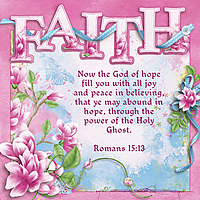
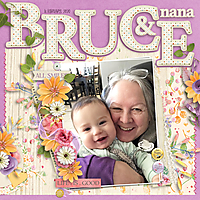
Like on this one - I saw a template where the letters around the title were cut out. I worked out how to do it and then did a ton of layouts using that technique..
20210429_Consider-the-Lilies.jpg
Scripture---I-will-lift-up-mine-eyes-unto-the-hills.jpg
FaithSm.jpg
20070817-Cindy-20200320-_Printed_.jpg

20200216-Baby-Bruce-20200421.jpg


Or this, which is similar, but slightly different, using the words as a divider. There are loads done like this, not all of them posted. I was on a binge!!
Scripture---Wings-of-Morning-Psalm-139.jpg
20200321-Social-Distancing-20200321.jpg


Or this torn paper - I loved the look of this somewhere I had seen it and adapted it for my own. I have used it quite a few times.

20201031-Family-is-Everything-20210114.jpg


This is one of my absolute favourite techniques, but takes forever. It is connecting words and lines and using them as dividers. I have a few more done like this, but I have not posted them.

20030400-Nrityagram-20200828.jpg


Shifted papers, too...
20200306-Silly-Girl-20200306.jpg
20200229-Bible-Study-20200305.jpg
19740000-Shark-Bait-20200305.jpg


And my sketch technique phase (oh my!)
Crazy-Karensm.jpg
Karen-in-Flowers-20190305-Sm.jpg
20140630_Hannah_in_the_Mountains_201902228_02_SM-.jpg
SorrowChrisSm.jpg

SorrowDavidsSM.jpg
Week_3_Playlist_Sm_.jpg
Week_2_McWay_V1_Sm_.jpg
20141031_Professor_Crayo_20170921_sm_.jpg
 
Last edited:
I can’t link well on my iPad so I’ll leave a note tonight and drop the layouts tomorrow

torn paper through a title
mfish_mousinaround3_01_sized_1000.jpg


mfish_mousinaround2_01_2_sized.jpg


using elements/paint/colours to accent words in journalling


D7456A39-43F3-4437-B86B-CD82602DA0A8.jpeg


using app to make photos “artsy”


and_april2021_templatechallenge_sized_1000.jpg


ive also done the title coming out of photo I find it difficult so don’t use it often.


Titles out of elements
cap_fixittemps3_-sized_1000.jpg


one colour tone


Title in a shape
 
Last edited:
Wonderful LO's Lynnie, I would love to try some of these and I will check and see if I have any LO's with these techniques myself.
 
Just a simple thing... I like to cut out a half circle along the edge of my paper to give me a little spot for an ellie and to show off a fun pattern paper below. I do this by creating a large rectangle shape, adding a layer mask, then using a hard round brush I mask my circle along the edge. I add a shadow style to this shape then clip my paper to it.
It appears my go to location is lower right side. :)

05493F16-93BA-43ED-9C36-263F7E661C43.jpeg
Shepherd-ForestFriends.jpg
Angelle_EndOfSummer.jpg
JBS-AForAwesome.jpg
ddd-NR-AllBundledUp.jpg
Buffet_MissMis-TropicalGetaway_AmanefeFe.jpg
ddd_BakeSale-SimpleLife.jpg
ddd_CT_WildlyBlooming.jpg
Angelle_FlowerShower.jpg
NR_Ponytail_HelloAutumn_AmaneseFe.jpg
 
I like that technique Jenny. Thanks for sharing!

Just a simple thing... I like to cut out a half circle along the edge of my paper to give me a little spot for an ellie and to show off a fun pattern paper below. I do this by creating a large rectangle shape, adding a layer mask, then using a hard round brush I mask my circle along the edge. I add a shadow style to this shape then clip my paper to it.
It appears my go to location is lower right side. :)

05493F16-93BA-43ED-9C36-263F7E661C43.jpeg
Shepherd-ForestFriends.jpg
Angelle_EndOfSummer.jpg
JBS-AForAwesome.jpg
ddd-NR-AllBundledUp.jpg
Buffet_MissMis-TropicalGetaway_AmanefeFe.jpg
ddd_BakeSale-SimpleLife.jpg
ddd_CT_WildlyBlooming.jpg
Angelle_FlowerShower.jpg
NR_Ponytail_HelloAutumn_AmaneseFe.jpg
 
So first, the scrapspirations from you ladies-


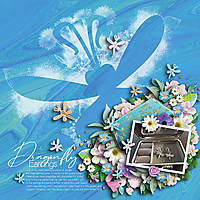
I have three major trends that run throughout my scrapping- the first, the element/mask. I find a big thing which matches my layout, and blow it up huge, and use it instead of most elements as visual interest. Sometimes it's a backdrop, sometimes it's an overlay.


A really REALLY big picture, with minimal framing for the stuff I especially like:


Jamming as many pictures as possible into one page:
 
One of the things I frequently do is complete my LO using a template, then select everything except the bg, page edgings or work right on the edges and reduce the size using the transform tool. Sometimes I might set it at an angle or move it all to a different position on the page.

 
You cannot endlessly take new ideas from your head. The main driving factor is the ideas of other people. You look at the work of other ideas, remember good and bad moments, then transform them into your own works.
 
WOW - some totally new ideas I had never even thought of, or noticed. I love them. Absolute genius on some of them. Now I know all the secrets.....
 
I think it would not be interesting if all people had exactly the same ideas and no one stood out for their creativity. Our ideas come to us from watched films, from the works of other masters, etc. Sometimes it is enough to pay attention to what surrounds you, so that a new idea arises in your head. Ideas in the little things.
 
One of the things I frequently do is complete my LO using a template, then select everything except the bg, page edgings or work right on the edges and reduce the size using the transform tool. Sometimes I might set it at an angle or move it all to a different position on the page.


I love this one! I have a layout I will upload tomorrow where i used this and it looks LOVELY. Thank you.
 
I think it would not be interesting if all people had exactly the same ideas and no one stood out for their creativity. Our ideas come to us from watched films, from the works of other masters, etc. Sometimes it is enough to pay attention to what surrounds you, so that a new idea arises in your head. Ideas in the little things.

That is a for sure! It is exciting, though, to learn from each other and have our own albums be a nice variety of techniques, too, and add some of the techniques to our own style. I get bored scrapping my own ideas and need some fresh stuff to inspire me. I have really enjoyed seeing what others are doing.

I look forward to seeing some of your stuff in the galleries, Nellie :)
 
Thanks for sharing! I really need to try a few things here.

The thing I've just rediscovered is to make a simple paper stack template myself, before starting the actual layout, like I've done in this layout:


What I tend to do a lot is adding small photo frames on top of larger photos like this:


Also, I like to divide the background with papers - like I've done on the first layout I ever posted here on GS (back in 2011!):

 
One of the things I frequently do is complete my LO using a template, then select everything except the bg, page edgings or work right on the edges and reduce the size using the transform tool. Sometimes I might set it at an angle or move it all to a different position on the page.


I realized i do I do this but I also enlarge quite a few of my layouts. Taking everything and increasing it.
 
I like writing directly onto one of the photos. I see this technique often in magazines and on social media and I think it's such a subtle, easy way to title a page without dealing with an alpha (which I genuinely hate).


I also love this technique from my paper scrapping days. For this page, I took an element shape in the kit and enlarged it to fill the page. Then, on a layer on top of that, I used brushes to "stamp" around the edges of the shape. Once complete, you can "cut out" the shape from the stamped layer, use masking if your program allows, etc. so that only the stamped outline remains.
 
If you haven't used blend modes, I recommend it. I add a slight blend mode (soft light) adjustment layer to almost all of my finished LOs (first I duplicate the flattened layer), create an inverted mask and brush it over elements that need a bit of "popping". Sometimes I will also do it with my photos, mostly using a soft light or screen mode but have used the other modes too.
 
I don't sharpen mine. Photoshop has a legacy export for web which seems to do a great job exporting them fairly sharply. Of course, my vision is not great, so maybe they just LOOK sharp to me.
 
Who sharpens their LOs for the web and what is your process?

I have a program called IrfanView I use to resize my pages for posting. In that process, there is a tickbox to "sharpen during resample" that I tick. It works pretty well! (I never figured out the Photoshop thing Lynnie does, LOL, and now it's just a part of my process)
 
I have a program called IrfanView I use to resize my pages for posting. In that process, there is a tickbox to "sharpen during resample" that I tick. It works pretty well! (I never figured out the Photoshop thing Lynnie does, LOL, and now it's just a part of my process)

i do this too with irfanview I think it’s good.
 
Back
Top