• 📣 We Want to Hear from You!

    Have an idea that could make GingerScraps even more amazing? Want to share feedback about the site or offer suggestions for our designers? This is the perfect place to let us know! 💡✨

    Whether it's a fun feature, a helpful improvement, or general feedback — we’re all ears!
    👉 If you're looking for a specific kit or product, please post in the ISO (In Search Of) subforum.

    Let’s make GingerScraps the best it can be — together! ❤️

Learning to design clusters

DebraB

Active member
I'm not sure if I should post this here or tutorials, so I'm choosing here. I know there are classes out on the web, but I don't want to be scrolling and searching all over; I like my GS Family. I'm totally amazed at all the wonderful clusters that everyone makes. I feel like my clusters are a hit and miss. I'm not necessarily one that wants the layout completely filled; I want the photos and journaling to be the main part and want my clusters or elements to blend in and enhance the layout not look like elements are just put in place to use them. AND since clusters are such an important part of scrapbooking could there be a 'class,' or set of tutorials on designing clusters. Not so much the 'how to use your software to do it,' but the designing of how you choose what elements, size, layering, where on the page, etc.
 
Debra, I suggest you look at lots of different pages in the gallery that feature clusters as this may help you know where others place their clusters and what they include in their clusters.
My clusters are mostly never full of lots of things. During a class I did once that included how to create clusters, the point that I remember is that it is best to have an odd number of items in your cluster in various sizes - not all the same size.
 
Last edited:
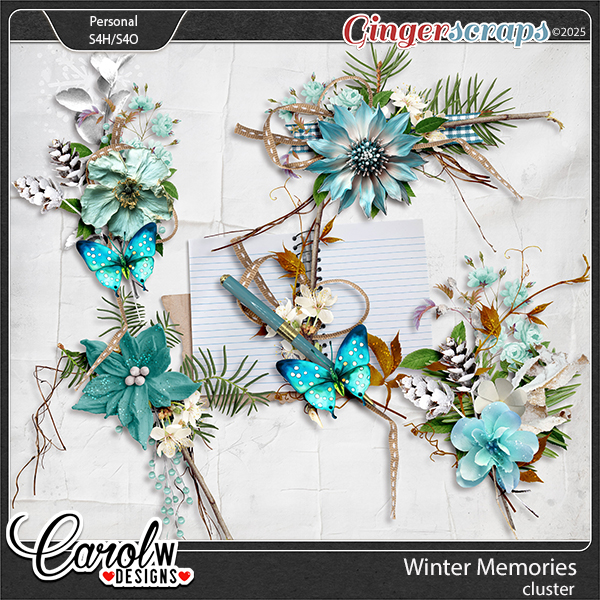
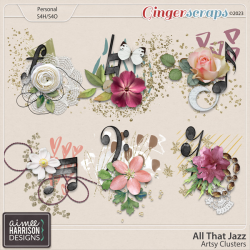
If you look at some clusters in the store it may also help.


1767486309720.png

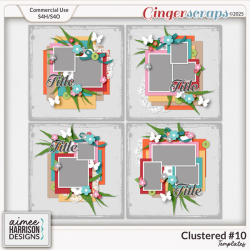
Templates could also be helpful to you in the layering and the placement of clusters.
1767486198746.png
 
Debra, I suggest you look at lots of different pages in the gallery that feature clusters as this may help you know where others place their clusters and what they include in their clusters.
My clusters are mostly never full of lots of things. During a class I did once that included how to create clusters, the point that I remember is that it is best to have an odd number of items in your cluster in various sizes - not all the same size.
@A-M Great idea, maybe I just need to choose some clusters I like and use different kits I have to duplicate them.....and if I do enough of them it will become more natural.
 
A lot of the templates have some nicely stacked and shadowed cluster "blanks". JBStudios, CarolW designs are a couple that come to mind. You could simply choose and place your chosen flower, leaf, ribbon over those spots, add your shadows and you are done. As far as choosing elements, I rarely stray from single kit use but I do have a separate folder in which I place flowers, leaves, ribbon, lace etc when I come across something I particularly like and want to use again.

I have a cluster fetish!! It is one of the things that gives me great pleasure to create. I like big clusters with lots of ellies. My background is in cake decorating and floral arranging which has been helpful..isnt it wonderful when hobbies interact!! My process is to start with a flower or flowers, angle and size them differently if using more than one (3 is a pleasing number). If you choose to repeat the same flower, you can do level adjustments to slightly differentiate between them. That flower or flowers become the focal point or anchor and everything then angles back to that central point... for instance when you add a stem, leaf or leaves, follow the line of the foliage stem and place it so the line angles towards the centre of the focal point. C shapes and S shapes are pleasing to the eye, curved stems can help create that design. To gain a perception of depth, dont be afraid to layer foliage OVER the flowers as well as under. Uneven numbers are mostly pleasing but I dont get OCD about that, I go with what looks good to me. Shadowing is important to create depth.

This one has a strong C shape and if you can envision imaginary lines from each element you will see how they all roughly lead towards the single focal flower in the centre.
1767500717375.png

I often place the finished cluster into a Group (in photoshop) or link them all together. I can then duplicate, reduce or enlarge, or move all in one go.

I dont think Ive done a very good job at describing my method (but I know what I mean:D)and it is by no means the "correct" or "only" way to create clusters, but it is my way and I hope some little thing here might help you in creating your own.
 
A lot of the templates have some nicely stacked and shadowed cluster "blanks". JBStudios, CarolW designs are a couple that come to mind. You could simply choose and place your chosen flower, leaf, ribbon over those spots, add your shadows and you are done. As far as choosing elements, I rarely stray from single kit use but I do have a separate folder in which I place flowers, leaves, ribbon, lace etc when I come across something I particularly like and want to use again.

I have a cluster fetish!! It is one of the things that gives me great pleasure to create. I like big clusters with lots of ellies. My background is in cake decorating and floral arranging which has been helpful..isnt it wonderful when hobbies interact!! My process is to start with a flower or flowers, angle and size them differently if using more than one (3 is a pleasing number). If you choose to repeat the same flower, you can do level adjustments to slightly differentiate between them. That flower or flowers become the focal point or anchor and everything then angles back to that central point... for instance when you add a stem, leaf or leaves, follow the line of the foliage stem and place it so the line angles towards the centre of the focal point. C shapes and S shapes are pleasing to the eye, curved stems can help create that design. To gain a perception of depth, dont be afraid to layer foliage OVER the flowers as well as under. Uneven numbers are mostly pleasing but I dont get OCD about that, I go with what looks good to me. Shadowing is important to create depth.

This one has a strong C shape and if you can envision imaginary lines from each element you will see how they all roughly lead towards the single focal flower in the centre.
View attachment 810399

I often place the finished cluster into a Group (in photoshop) or link them all together. I can then duplicate, reduce or enlarge, or move all in one go.

I dont think Ive done a very good job at describing my method (but I know what I mean:D)and it is by no means the "correct" or "only" way to create clusters, but it is my way and I hope some little thing here might help you in creating your own.
@Jill you've done a very good job describing your method. And having floral design as a background I'm sure helps. Do you pretty much work from the bottom up? Using templates is a good idea, but not the easiest when using My memories software.
 
Thank you. Sorry the template idea is not a goer for you. I work top down in fact Debra. I choose the main flower/s first and work down from there. I spend WAY too much time fiddling with my clusters.....I need an intervention.
 
@DebraB I thought I would add that I usually start from the bottom up. I start with some ribbon/bow, greenery, element to match the theme of the layout and then add my flowers. Sometimes I will need to add things on lower layers.

Thankyou for sharing with us what you have been creating. Now I look forward to see some lovely clusters on your layout. You might need one for this month's slow scrap.
 
I try to always add twigs or ribbon sticking out the side. And what someone else mentioned, if using the same flower multiple times, rotate it a hair and adjust the size.
What I do find using kits a lot is that the flower that I want to use is not always in the papers that I chose to use. Having that odd color sometimes distracts the eye.
 
Back
Top