• 🆘 Need Help? We’re Here for You!

    Have a question or need assistance? You’re in the right place! Whether you're new to GingerScraps or just need a little guidance, feel free to ask here. Our amazing admins and helpful community members are always happy to lend a hand. 💖

    Be sure to check out these helpful areas too:

    🔧 If you’re having trouble with an order or product download, please visit our Support Desk - we’re happy to help!

Desktop Templates

opsahlk

New member
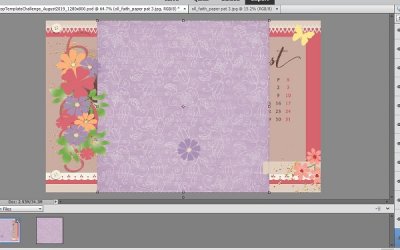
Can somebody please help me with using desktop templates (or any templates that are not 12 x 12 layouts) in PSE? It seems like whenever I try to drag my paper onto the template it doesn't cover the template to clip it correctly to the background papers. Hope this makes sense. I inserted image to show what I am talking about. Thanks for any help!
PSE Problem.JPG
 
You have two options
1. Duplicate the paper and postion both so that the two pieces would cover the background. (Use soft brush eraser with reduced opacity to kind of gently erase/ blend away the top paper to create a smoother transition between the papers. But with a patterned print this is a lot more challenging to accomplish.

2. Zoom quite a ways out so that your template/page looks quite small in the PSE workspace. Then grab one of the corner handles of the paper you want to resize (Hold down the ALT key to keep the porportions constrained) and drag it out until it covers the full background of the template. Then just "clip" it to the layer you want it on.

Another step I sometimes do even once it is clipped is to Ctrl+CLick on the icon of the bottom most background layer. Once it is selected with the marching ants go to Image>Crop. This will trim away the invisible portions of the enlarged clipped paper that extend beyond the template base.

Hope this makes sense!
 
Back
Top