• 🆘 Need Help? We’re Here for You!

    Have a question or need assistance? You’re in the right place! Whether you're new to GingerScraps or just need a little guidance, feel free to ask here. Our amazing admins and helpful community members are always happy to lend a hand. 💖

    Be sure to check out these helpful areas too:

    🔧 If you’re having trouble with an order or product download, please visit our Support Desk - we’re happy to help!

Border clusters ??

Milfordmasseya

New member
So I look for kits with some border clusters or stackers since I'm new and doing this on Android. I even got a template to help me do the Clusters. But I'm stumped on the seal clusters and Border clusters I don't know what to do with them. I don't know how to use them where to put them and I've looked for layout and I'm just not seeing any examples with them in it. I've got a few kits that have them and I'm just at a loss at how to utilize them.
 
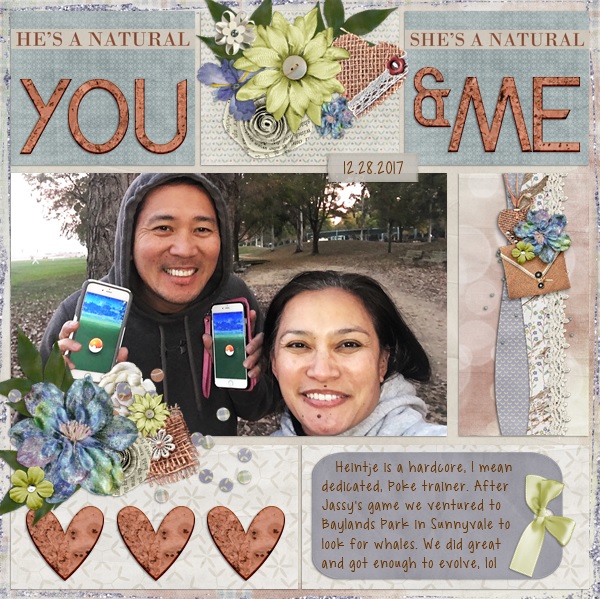
I don't use those a lot, but when I do, I usually tuck them along the side of a LO or peeking out behind some papers. I looked in Connie's gallery because she sells them with her kits. I found these two as examples. (images are linked to the gallery)

This one by Katherine.


And this one by Bramma
 
Aimee Harrison is another designer who creates Border Clusters with her bundles.
https://store.gingerscraps.net/Aimee-Harrison/


I used one on this page. It makes creating the layout so easy! I almost feel like I'm cheating, lol
i rotated the border to fit horizontally. I also added the word strip and a few other elements to make everything seamless

https://gallery.gingerscraps.net/showphoto.php?photo=338163&title=dec-template-2-challenge&cat=952
12_29_2016_Santa_Monica_group.jpg
 
Last edited:
Oh, I love the idea of using them to break up a page! The layout examples shared are awesome. I usually just have them along the side or top/bottom or maybe to do the same concept with using the cluster along a photo.
 
Back
Top