Adobe Elements Organizer 2018 or Alternative?

Sillz

New member
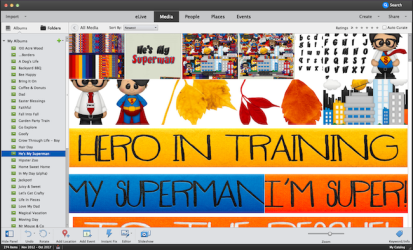
Does anyone use Organizer to catalog their supplies? I have been using it this year but am finding it becoming increasingly unstable. It crashes for no reason, regardless of what else I am doing at the time. It tends to crash faster if I also have Elements open at the same time, but still crashes without it.

Does anyone else have this problem?

Do have any recommendations for other organizing programs I could use?
 
Several years ago when I was scrapping I had heard that Photoshop Elements ( 4 and 5) Organizer would start getting pretty slow and some other issues though I don't recall what they were. I started using ACDSee and love it. I recently went ahead and upgraded it again this year. You can make your tagging system very detailed and do searches for specific tags. Sometimes the search process is a bit slow but I have a pretty large database. ACDSee also lets you view TTF font files and you can set your own word to use for the previews. It will temporarily load fonts but you have to restart PSE to see them and they will stay loaded in PSE until ACDSee is closed. You can view brush files. You get quite a larger view of the different brushes in the set than is available in the little preview window in PSE. ACDSEe allows you to embed your tagging system into the files which comes in handy if you have copied the files to another location outside of ACDSee (using Windows File explorer instead for copying- much faster.) The program also has some photo editing features but I have never really explored them much- I do the photo editing in PSE.
 
Since you're using a Mac, the native tagging system works really well! I've used lots of other tagging software, but I'm slowly working on using Finder tags. You can set up smart searches and all kinds of things.

How to set up and start using Finder tags from iMore

I tag my main kit folder, so if I type in a tag it pulls it right up. If you want to tag individual elements, you can go that route too.
 
So what you're saying is keep them in the folders I already have in Finder and just tag everything?
 
So what you're saying is keep them in the folders I already have in Finder and just tag everything?

That's how I do it. Try tagging a few items then searching for them. See if you like it :)
 
I think one of the things I like about Elements Organizer is that it visually shows what is in each folder I create so I can just scroll through multiple items on the same page to see what is in that kit and then right click to open it in Elements Editor. I don't seem to have the ability in finder because the thumbnails are too small. That's why I'm looking for some specific software that will do that for me.
 
I use organizer in PSE 2018 and I have no problems with it but I am not using a MAC so maybe that is the difference I have heard lots of people like
ACDsee but have never tried it.
 
Ohhh I see what you're saying. I change the folder icon to look like the kit preview. That usually jogs my memory enough to have an idea what's inside. But I totally get how PSE lets you see the individual things and how helpful that can be. I have heard horror stories about people losing all their tags in ACDSee if you don't do them a certain way. I haven't used it though.
 
Back
Top