Grace.
Sugar Cookie : GingerScraps Praise Team {Lead}
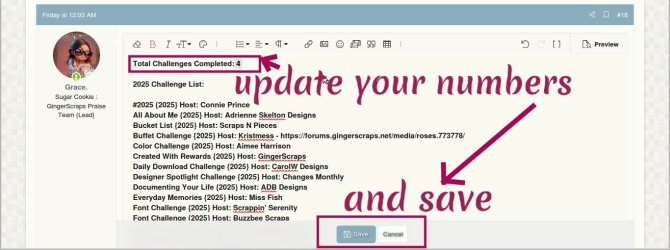
Hi everyone, I have created a mini-tutorial to help those who don't know how to upload images to the gallery, post in the challenges thread and track them in the Cookie Jar.
1. If you are in the forum, click "Media" and the Gallery will open, click +Add Media and Upload file
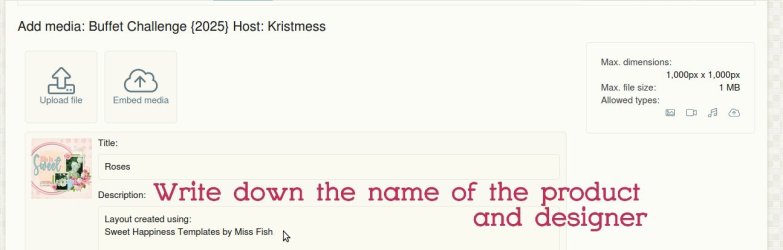
2. If you want to link the product(s) from the Gallery to the Store, paste the LINK to the store into the description
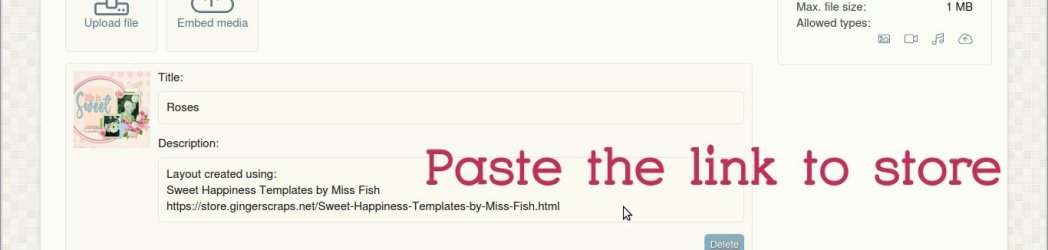
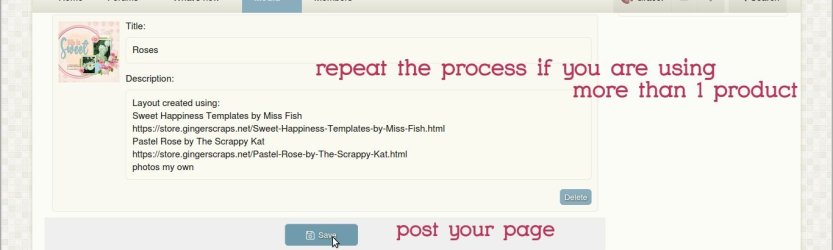
3. Save your page
4. Scroll down your page and copy the last code named "Copy GALLERY BB code"
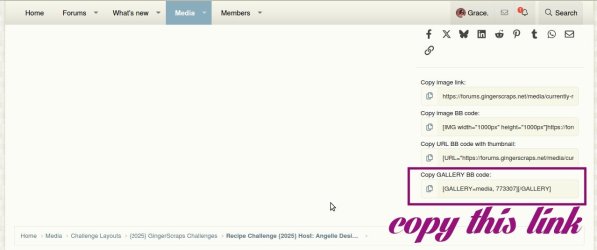
5. Open a new window and go to the forum, to the thread where you want to post your page, paste the code into your reply and post it.

6. After posting your page on the challenge thread, scroll up the page and click on "Challenge yourself"

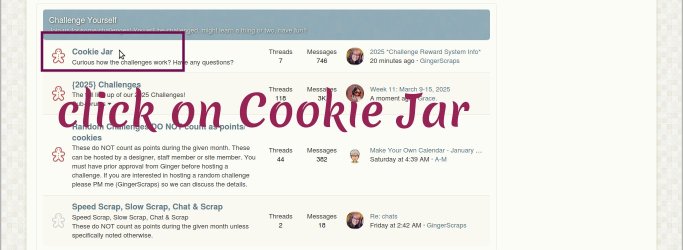
7. Click on Cookie Jar and select the current month
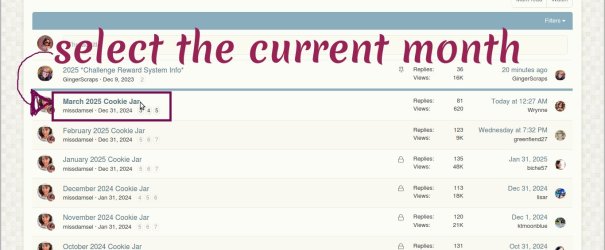
8. If you haven't done post your spot following the instructions, otherwise search your post and click Edit.
Go back to your layout in Gallery, and copy the URL link

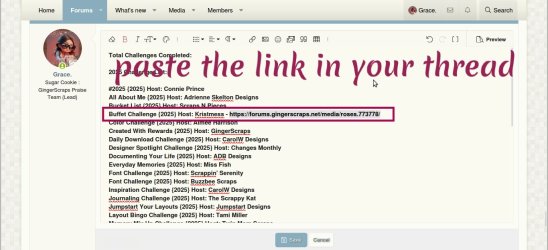
9. Go back to your post in the Cookie Jar and paste the URL link according to the challenge you are tracking
1. If you are in the forum, click "Media" and the Gallery will open, click +Add Media and Upload file
2. If you want to link the product(s) from the Gallery to the Store, paste the LINK to the store into the description
3. Save your page
4. Scroll down your page and copy the last code named "Copy GALLERY BB code"
5. Open a new window and go to the forum, to the thread where you want to post your page, paste the code into your reply and post it.
6. After posting your page on the challenge thread, scroll up the page and click on "Challenge yourself"
7. Click on Cookie Jar and select the current month
8. If you haven't done post your spot following the instructions, otherwise search your post and click Edit.
Go back to your layout in Gallery, and copy the URL link
9. Go back to your post in the Cookie Jar and paste the URL link according to the challenge you are tracking
Last edited: