• 🆘 Need Help? We’re Here for You!

    Have a question or need assistance? You’re in the right place! Whether you're new to GingerScraps or just need a little guidance, feel free to ask here. Our amazing admins and helpful community members are always happy to lend a hand. 💖

    Be sure to check out these helpful areas too:

    🔧 If you’re having trouble with an order or product download, please visit our Support Desk - we’re happy to help!

png files as frames

DebraB

Active member
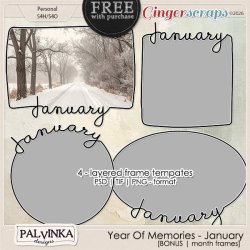
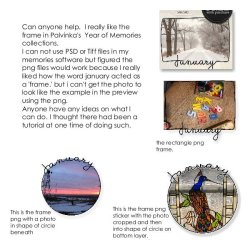
I really like the 'frames' that Pavlinka has in her new monthly kits. Where she has the frames with the word of the month, and then the photo is inside of it with part of the photo filling part of the writing. She also has the tiff and psd files which I personally can't use with my software. Is there a way to accomplish that look using the png files? Thanks for any help.
 

Attachments

  • _Palvinka_YOM_January_preview_Bonus.jpg
    _Palvinka_YOM_January_preview_Bonus.jpg
    83.1 KB · Views: 6
  • Scripture Album-013.jpg
    Scripture Album-013.jpg
    93.2 KB · Views: 6
Debra, does the PNG files include the mask for the photo with the top not perfect to suit the month's name?
 
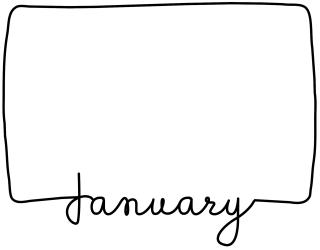
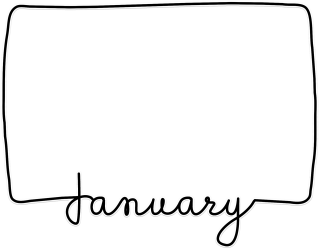
these are the 2 png files for the rectangle frame. I don't think there is one as a mask.
 

Attachments

  • Palvinka_YOM_January_bonus_frame1-PNG.png
    Palvinka_YOM_January_bonus_frame1-PNG.png
    71.8 KB · Views: 1
  • Palvinka_YOM_January_bonus_frame1-PNGsticker.png
    Palvinka_YOM_January_bonus_frame1-PNGsticker.png
    326.5 KB · Views: 1
I really like the 'frames' that Pavlinka has in her new monthly kits. Where she has the frames with the word of the month, and then the photo is inside of it with part of the photo filling part of the writing. She also has the tiff and psd files which I personally can't use with my software. Is there a way to accomplish that look using the png files? Thanks for any help.
Hi Debra 😊

Thank you for your explanation and example — that helped a lot!

You’re absolutely right. What you needed was the photo mask. The masks were originally included only in the PSD and TIFF versions, and I didn’t realize that some software can’t use those formats.

I’ve now updated the product in the shop. If you go back to your order, you’ll find an additional download labeled Bonus2 — this file includes the photo masks as PNG files. That should allow you to achieve the look shown in the previews.

Thank you for bringing this to my attention — I’ll make sure to include PNG masks in future releases as well. 😊

Please let me know if everything works for you now!
 
Back
Top